What you get.
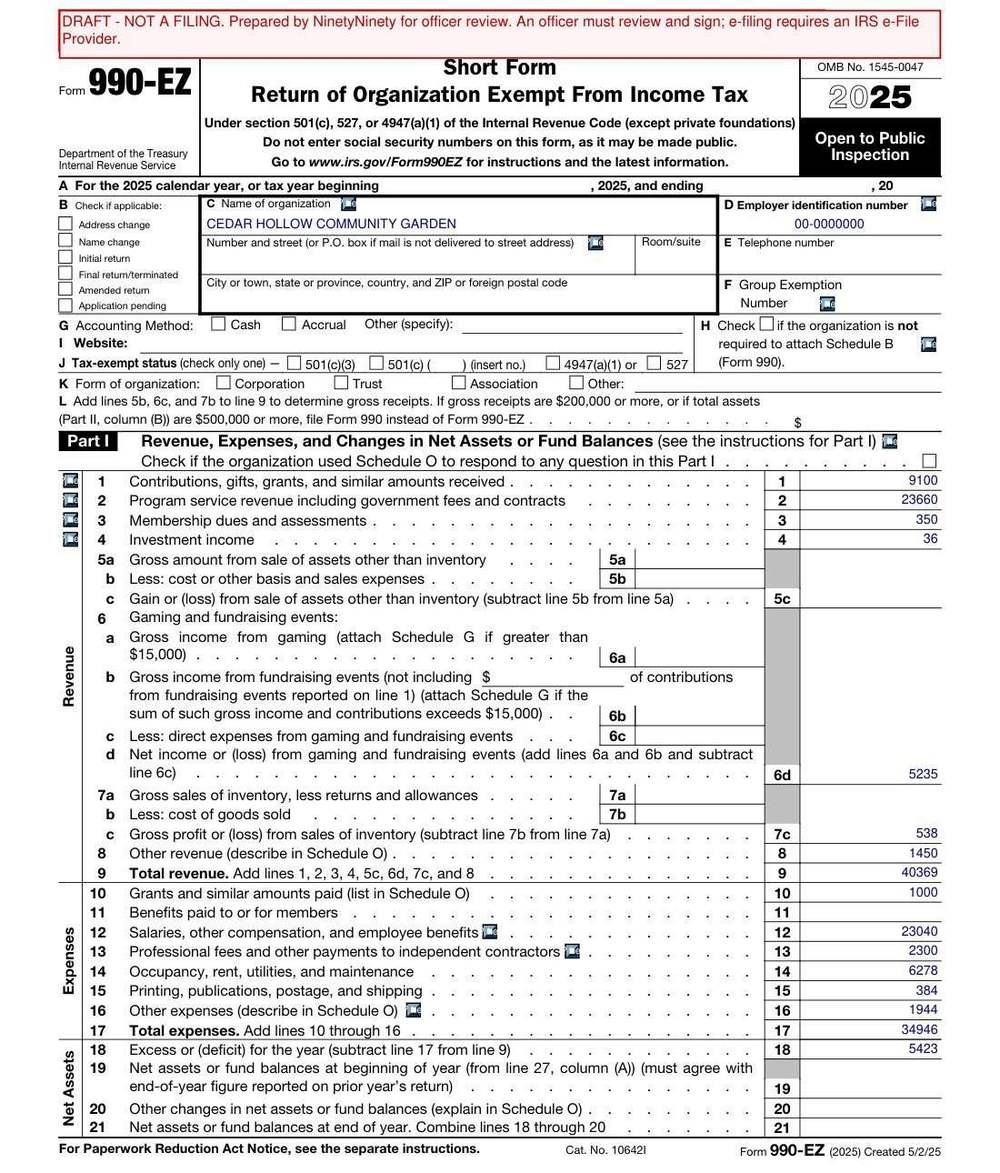
The real IRS form, filled in and marked DRAFT on every page, and under it every Part I line with the transactions behind it. Open a line to see them and the IRS instruction each one follows.
Illustrative run: these figures come from a hand-assigned ledger, not a live run.
How it works.
Three readers and a calculator. The readers sort. The calculator adds. The readers never add.
Upload the year's transactions
A CSV from your bank with a date, a description, and an amount on each row. No categories needed.
Two readers sort every row
The Preparer and the Reviewer each put every transaction on a Part I line, working separately, and each quotes the IRS instruction that supports the choice.
A Referee settles disagreements
When the two readers differ, the Referee reads both instructions and decides. You see all three opinions. Nothing is settled silently.
You review and download
Python adds the totals and checks every quoted instruction, the Referee's included, against the IRS text. Flagged rows wait for you. Then download the PDF, marked DRAFT.
When the readers disagree.
Is the math right?
| Line | Returns checked | Matched the filer | Rate |
|---|
About 203,699 of these returns reached the IRS in 2024. A late one costs $25 a day, capped at the lesser of $13,000 or 5% of gross receipts, and three missed years in a row revoke the exemption automatically. The IRS auto revocation file dated 8 September 2026 lists 1,065,726 rows with no reinstatement date. Of the returns in the IRS batch this project checks itself against, 30.0% had no paid preparer, so the organisation did the form itself.
What this is not.
Get started.
Runs in the browser. Or on your own computer with a free Google Gemini key.
Your transactions are sent to Google's Gemini API to be sorted, and the blank IRS form is fetched once from irs.gov. On the hosted app the CSV is uploaded to Streamlit Cloud and read from a temporary directory that is deleted when the run ends. Run it on your own computer and the file never leaves it.
git clone https://github.com/ishal1410/ninetyninety
cd ninetyninety
pip install -r requirements.txt
cp .env.example .env    # free key: aistudio.google.com/apikey
streamlit run app.py